> ## Documentation Index
> Fetch the complete documentation index at: https://bruno-a6972042-mintlify-4e261c89.mintlify.site/llms.txt
> Use this file to discover all available pages before exploring further.
# Auto Generate Documentation
Bruno allows you to automatically generate a standalone HTML documentation file from your collection. This creates a shareable, interactive API documentation page that you can deploy anywhere or share with your team.
## Generate Documentation
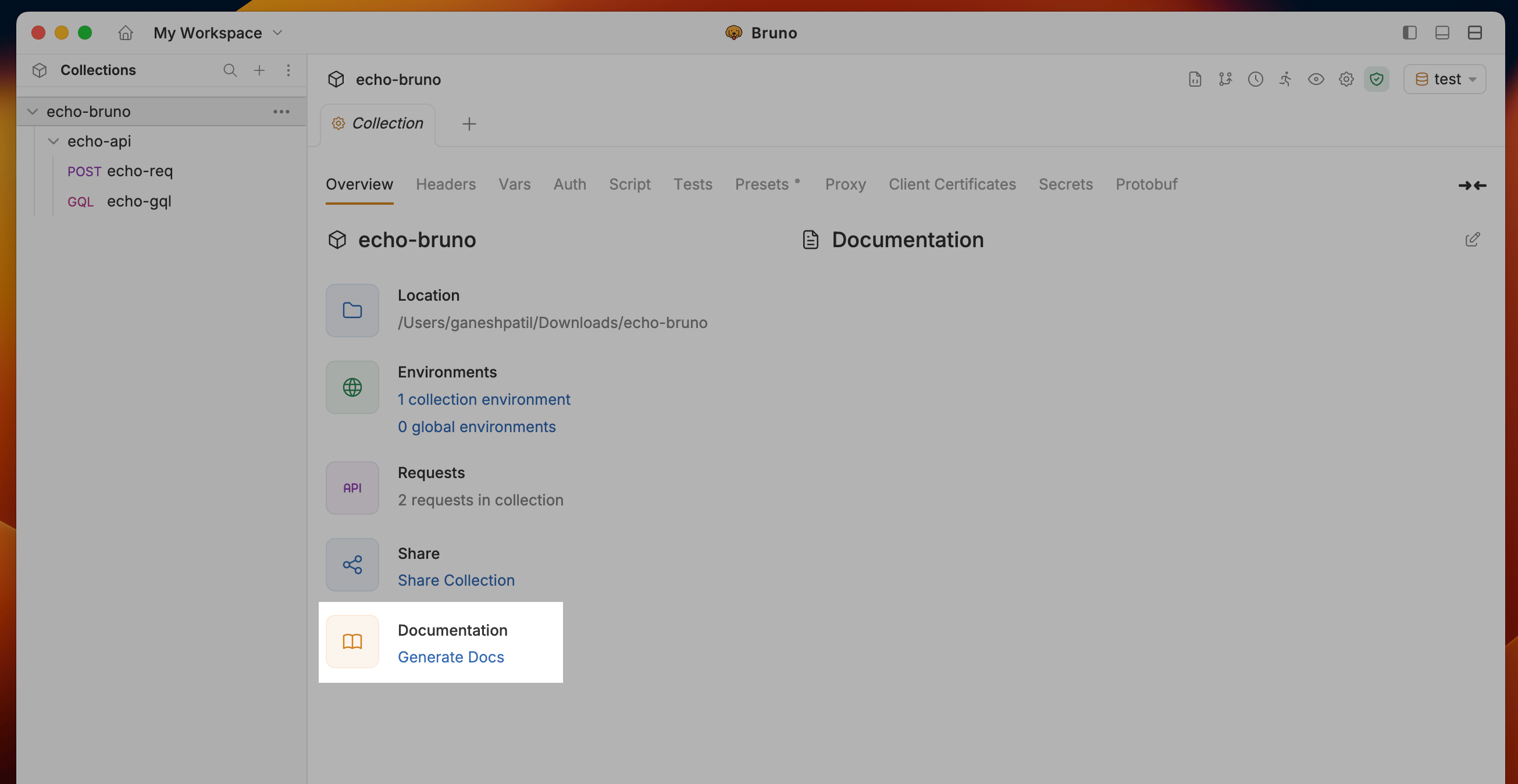
1. Navigate to the Collection Settings and click on the **Generate Docs** under Documentation section
 2. Choose which environments to include in the generated docs. By default all environments in the collection are selected; use the **Select All** checkbox or the per-environment checkboxes to scope the output (for example, to keep `local` or `staging` envs out of docs shared externally). The configuration card alongside the list shows the normalized collection version and the number of folders and requests that will be exported.
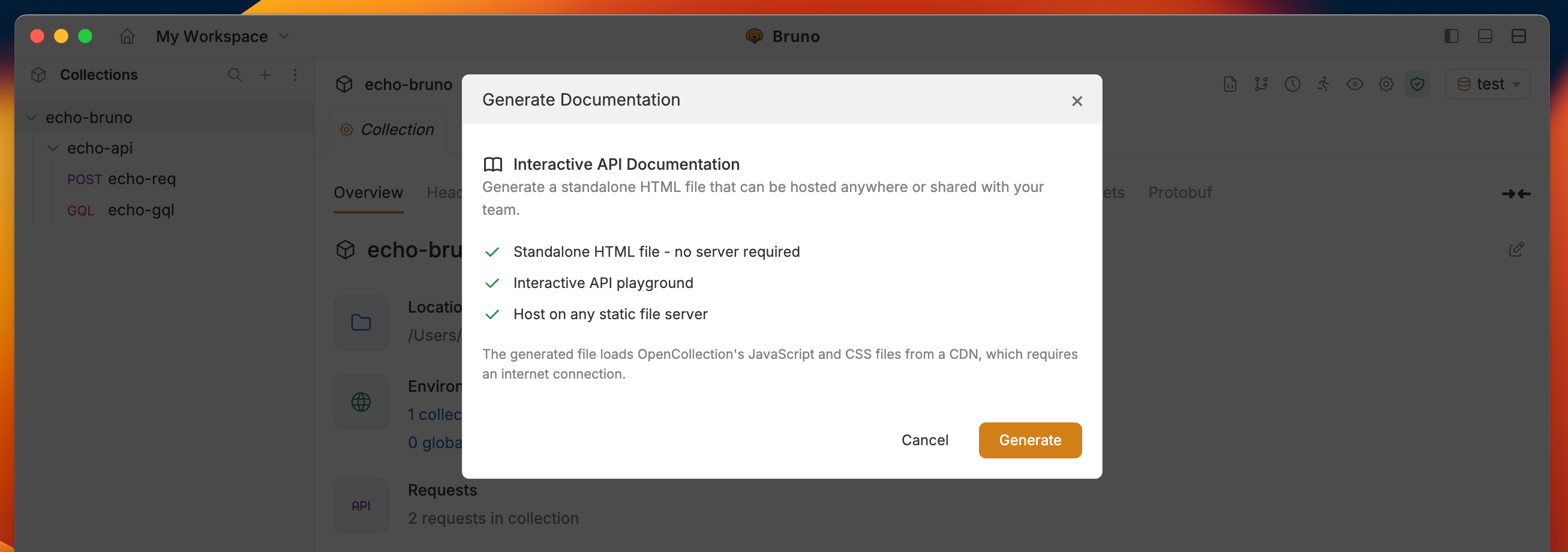
3. Click the **Generate** button to create the HTML documentation
2. Choose which environments to include in the generated docs. By default all environments in the collection are selected; use the **Select All** checkbox or the per-environment checkboxes to scope the output (for example, to keep `local` or `staging` envs out of docs shared externally). The configuration card alongside the list shows the normalized collection version and the number of folders and requests that will be exported.
3. Click the **Generate** button to create the HTML documentation
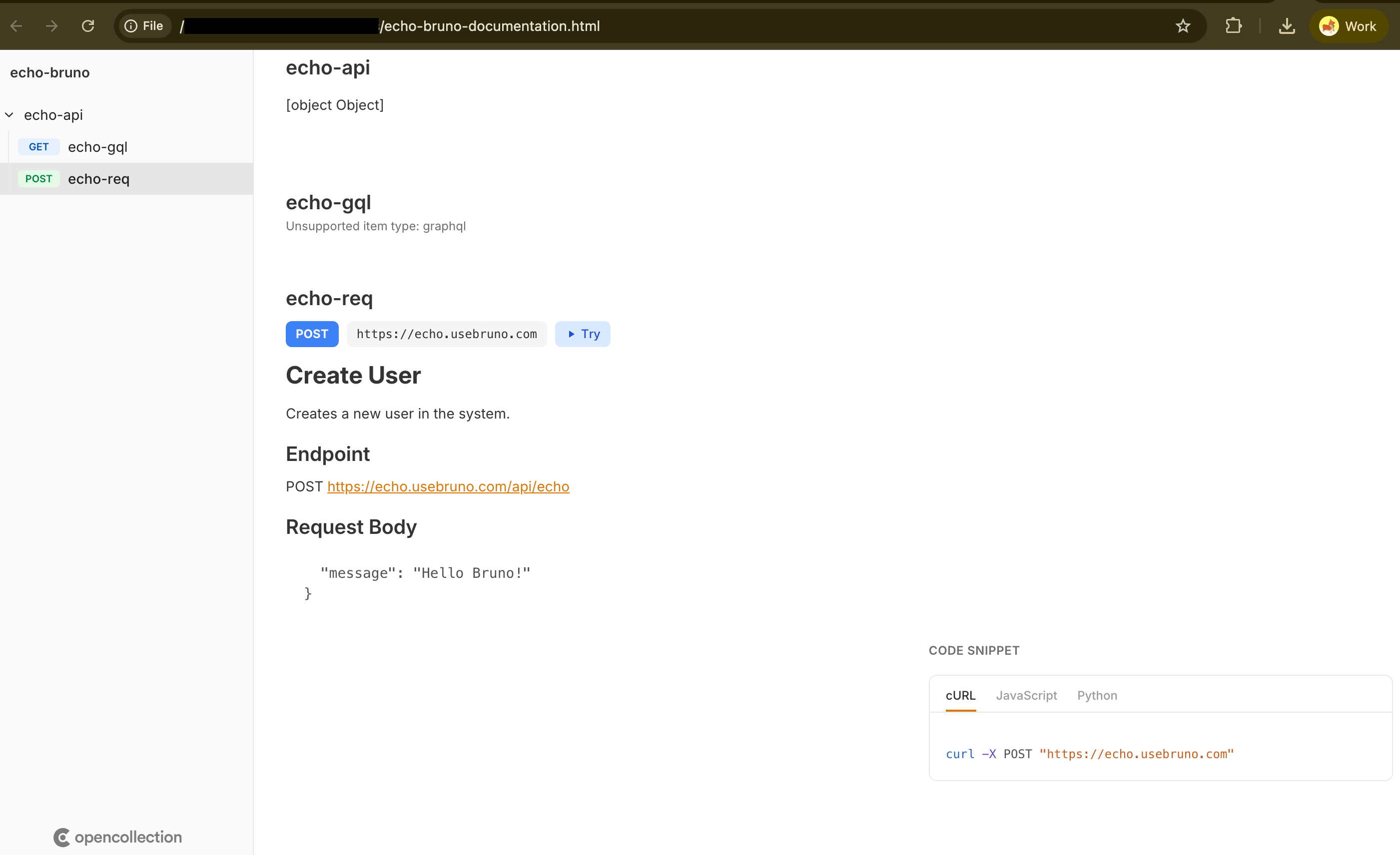
 4. Bruno will generate a HTML documentation file for your collection documentation
 ## Key Features
### Auto-Generated Docs from Bruno Collections
* **Support for .bru files** and Bruno collection structure
* **Render nested folders** with requests, environment variables, and metadata
* **Sample requests/responses** and script previews included
* **Environment support** for different configurations
### Code Samples
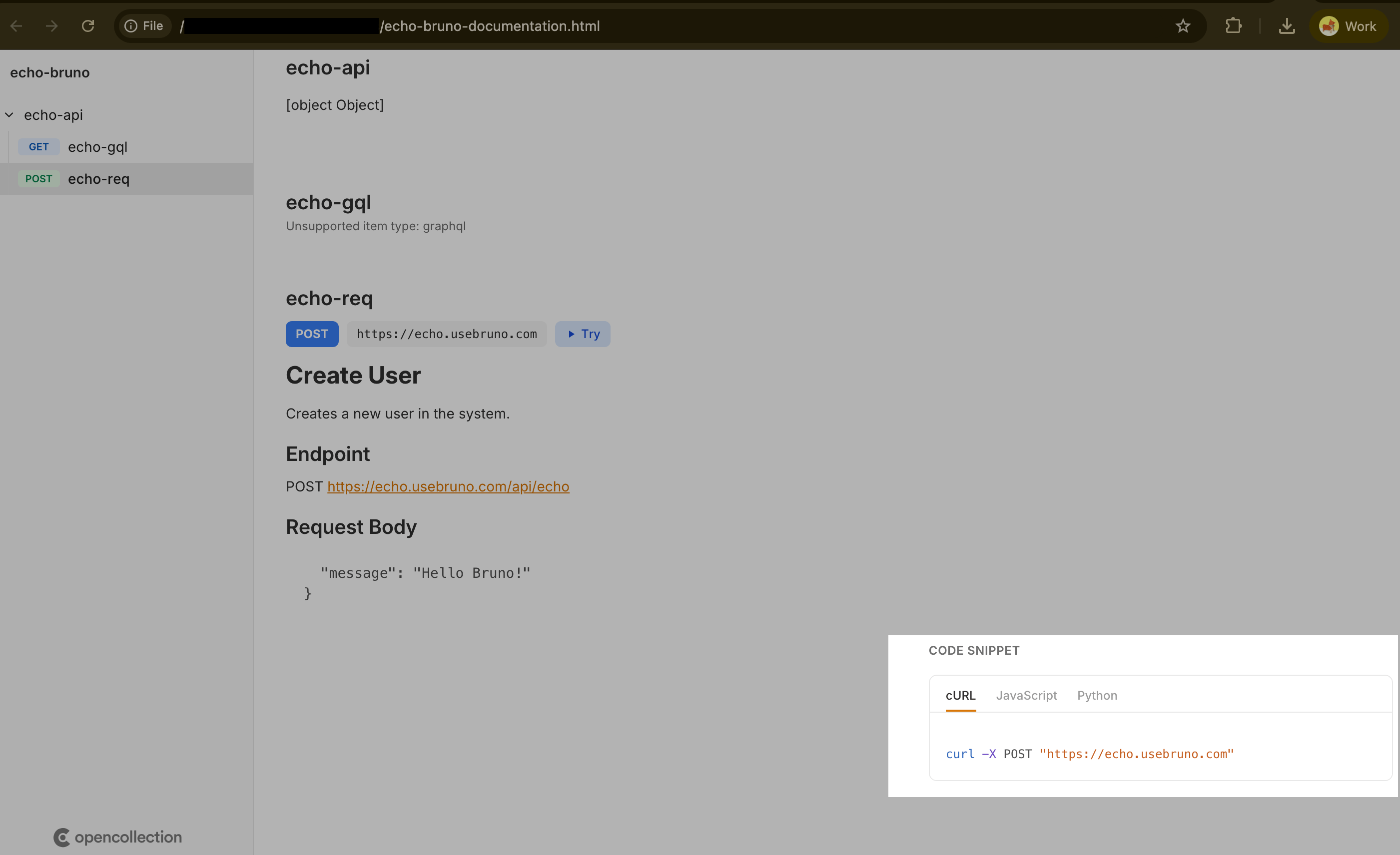
The documentation automatically generates code snippets for each request in multiple languages:
* cURL
* Python (requests)
* JavaScript
## Key Features
### Auto-Generated Docs from Bruno Collections
* **Support for .bru files** and Bruno collection structure
* **Render nested folders** with requests, environment variables, and metadata
* **Sample requests/responses** and script previews included
* **Environment support** for different configurations
### Code Samples
The documentation automatically generates code snippets for each request in multiple languages:
* cURL
* Python (requests)
* JavaScript
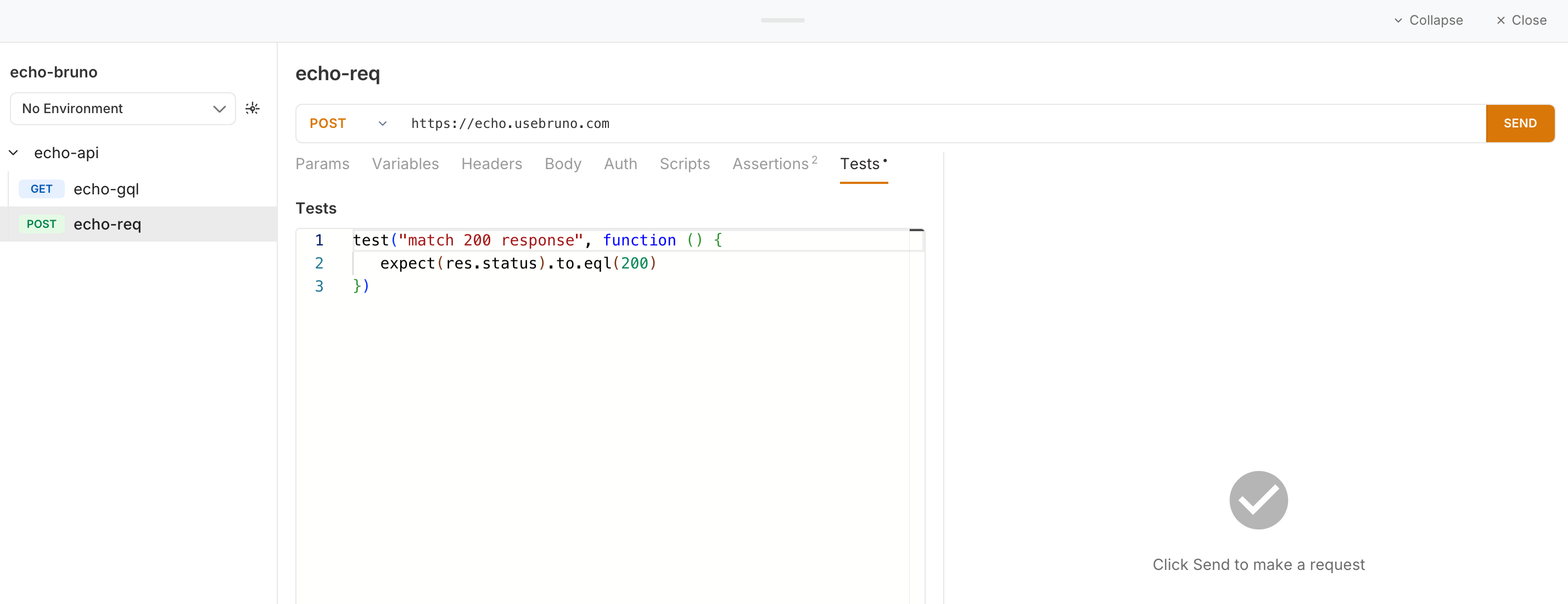
 ### Tests and Scripts Display
* Show **pre-request scripts** inline for each request
* Display **post-response scripts** and test logic
* View **test assertions** directly in the documentation
### Tests and Scripts Display
* Show **pre-request scripts** inline for each request
* Display **post-response scripts** and test logic
* View **test assertions** directly in the documentation
 ### Try It Out Playground
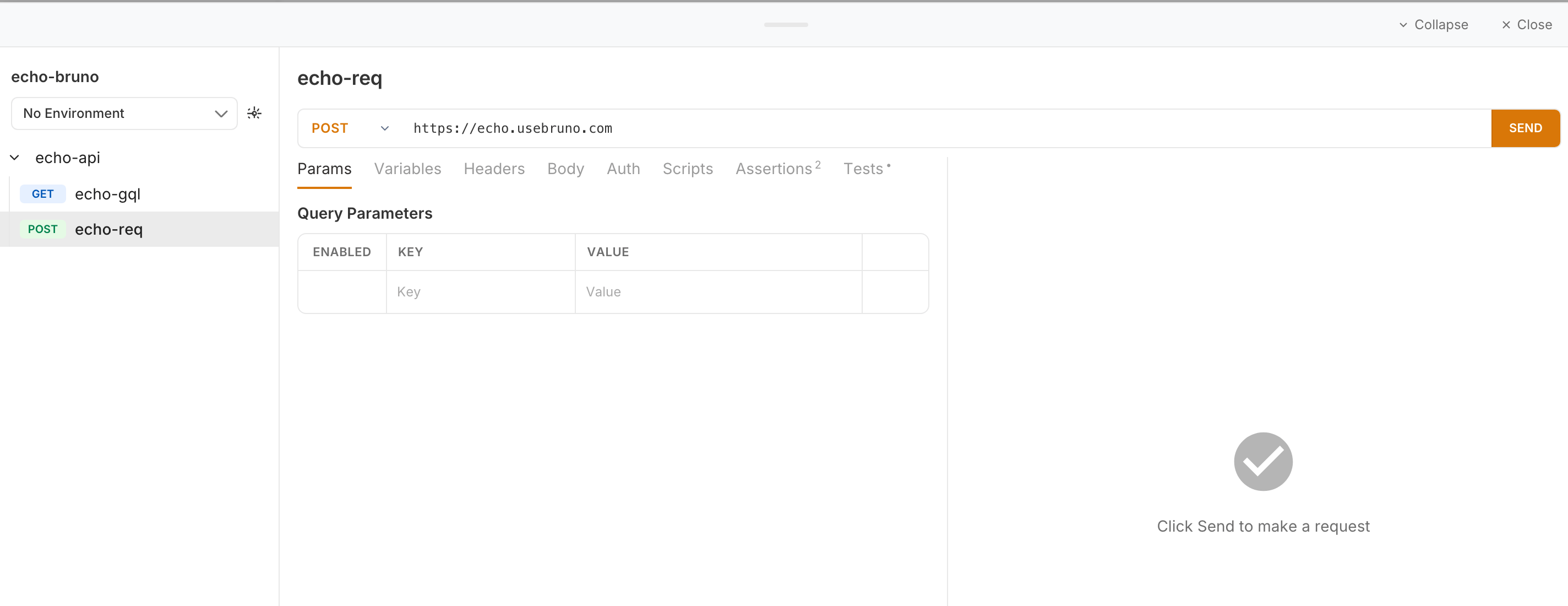
Interactive playground that allows users to:
* Edit request parameters, headers, and body
* Modify and test scripts in real-time
* Execute requests live directly from the documentation
* View responses immediately
### Try It Out Playground
Interactive playground that allows users to:
* Edit request parameters, headers, and body
* Modify and test scripts in real-time
* Execute requests live directly from the documentation
* View responses immediately
 ## Deployment Options
Once generated, you can:
1. **Open locally**: View the HTML file in any browser
2. **Static hosting**: Deploy to GitHub Pages, Netlify, Vercel, or any static host
3. **Share directly**: Send the HTML file to team members or API consumers
4. **Documentation portal**: Add to your developer portal or docs site
## Deployment Options
Once generated, you can:
1. **Open locally**: View the HTML file in any browser
2. **Static hosting**: Deploy to GitHub Pages, Netlify, Vercel, or any static host
3. **Share directly**: Send the HTML file to team members or API consumers
4. **Documentation portal**: Add to your developer portal or docs site